Billing Overhaul: Medicare MCOL, Batch Invoicing & Payment Recovery

This release delivers a major overhaul of Praxi's billing capabilities, with Medicare Claiming Online (MCOL) integration, batch invoicing, automated payment recovery, and DVA claiming improvements.
Medicare Claiming Online (MCOL) Integration
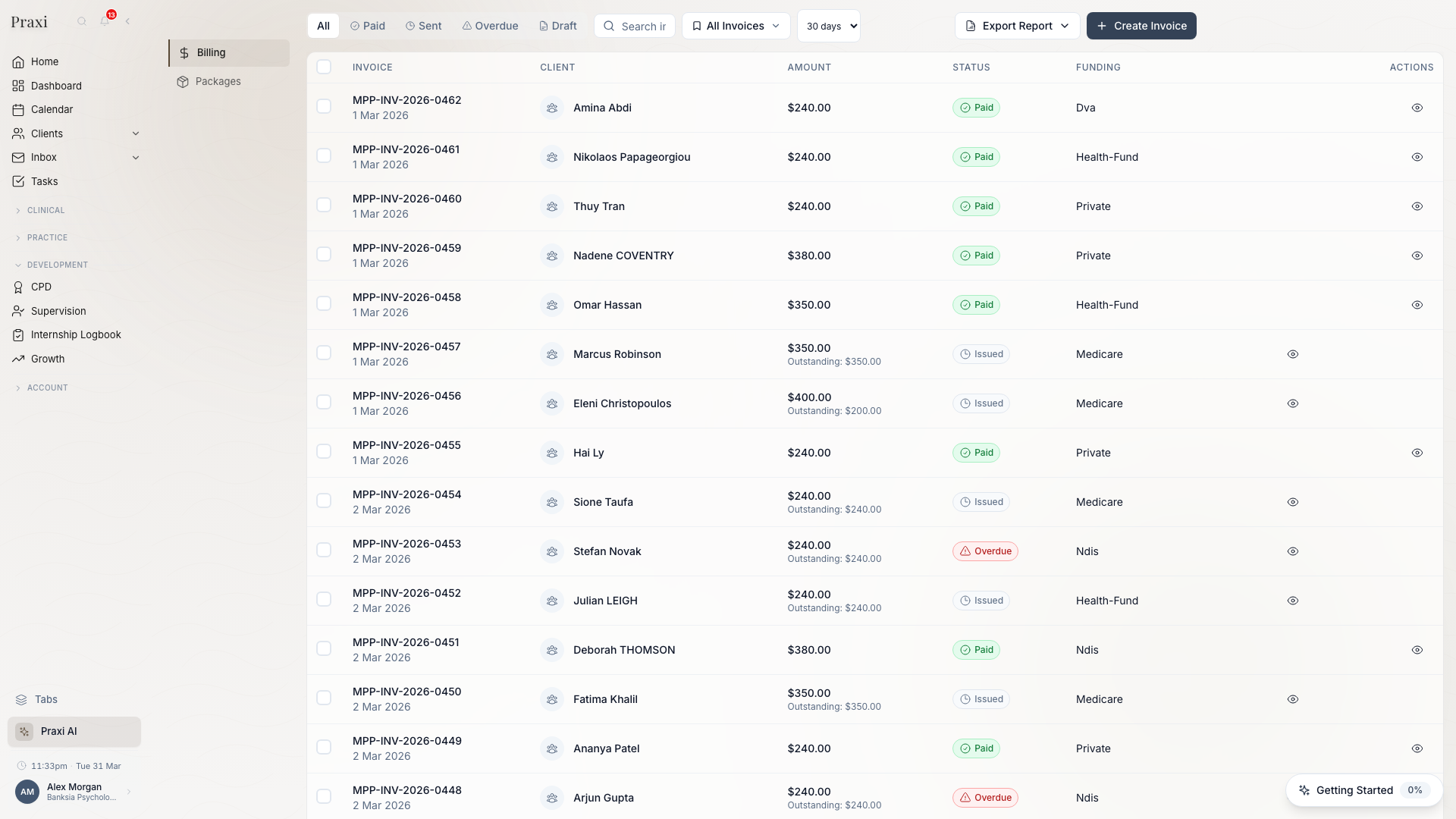
Update Praxi's direct Medicare claiming integration is completing Services Australia conformance testing. Production claiming becomes available once Services Australia grants the Notice of Integration (NOI).
Praxi's billing module now includes direct electronic claiming through Medicare Online Claiming. Claims are submitted electronically using your PRODA B2B device credentials, eliminating the need for paper forms or third-party claiming software.
Key capabilities include:
- Real-time eligibility checks before submitting claims, reducing rejection rates.
- Bulk bill and patient claim submission with automatic assignment of benefit handling.
- Claim status tracking with real-time updates from Services Australia.
- Automated reconciliation that matches Medicare payment reports against your Praxi invoices, flagging discrepancies for review.
Setup requires a valid PRODA account and linked Medicare provider numbers. See Settings > Integrations > Medicare to configure your credentials.
Batch Invoicing
Practices can now generate invoices in bulk rather than one at a time. Select multiple appointments from the calendar or client list, review the batch summary, and generate all invoices with a single action.
Batch invoicing supports mixed funding sources within the same batch — Medicare, DVA, NDIS, WorkCover, and private invoices are all handled correctly. Each invoice is created with the appropriate item codes, rates, and payer details based on the client's funding configuration.
Batch operations are processed in the background and you receive a notification when the batch is complete, along with a summary of any items that require attention.
Failed Payment Recovery
Praxi now automatically detects failed payment plan instalments and initiates a recovery workflow. When a scheduled payment fails (due to expired cards, insufficient funds, or declined transactions), the system:
- Retries the payment after a configurable delay.
- Sends the client a notification with a link to update their payment method.
- Escalates to the practice administrator if recovery is not resolved within the configured timeframe.
This reduces the administrative burden of chasing failed payments and improves collection rates without manual intervention.
DVA Claiming Improvements
DVA claiming now supports electronic submission through the same ECLIPSE pathway as Medicare. White Card and Gold Card claims are differentiated automatically based on the client's DVA details, and the correct provider number is applied per claim.
Prerequisites
Before using these features, ensure:
- For Medicare MCOL: A valid PRODA B2B device certificate is registered and your Medicare provider numbers are linked in Praxi. See the Medicare setup guide for detailed steps.
- For Batch Invoicing: Client records must have their funding sources configured (Medicare number, DVA file number, NDIS plan details, or private billing defaults). Appointments must be in "attended" status.
- For Payment Recovery: Stripe integration must be active with saved payment methods on file. Configure retry intervals and escalation timeframes in Settings > Billing > Payment Plans.
Reporting Enhancements
Alongside invoicing improvements, the billing reports dashboard now includes:
- Claim Submission Report — Track Medicare and DVA claim statuses, rejection reasons, and resubmission rates.
- Ageing Receivables — View outstanding balances by client, funding source, and age bracket (30/60/90+ days).
- Revenue by Practitioner — Compare monthly revenue across your team with drill-down by funding source.
- Batch Processing History — Audit trail of all batch operations with individual invoice outcomes.
Learn More
- Invoice Management — Creating, editing, and managing invoices
- Medicare Claiming — Medicare MCOL and bulk billing
- Payment Plans — Setting up payment instalments
- Financial Reports — Revenue and receivables dashboards
- DVA Claims — DVA White and Gold Card processing