Emergency Hub
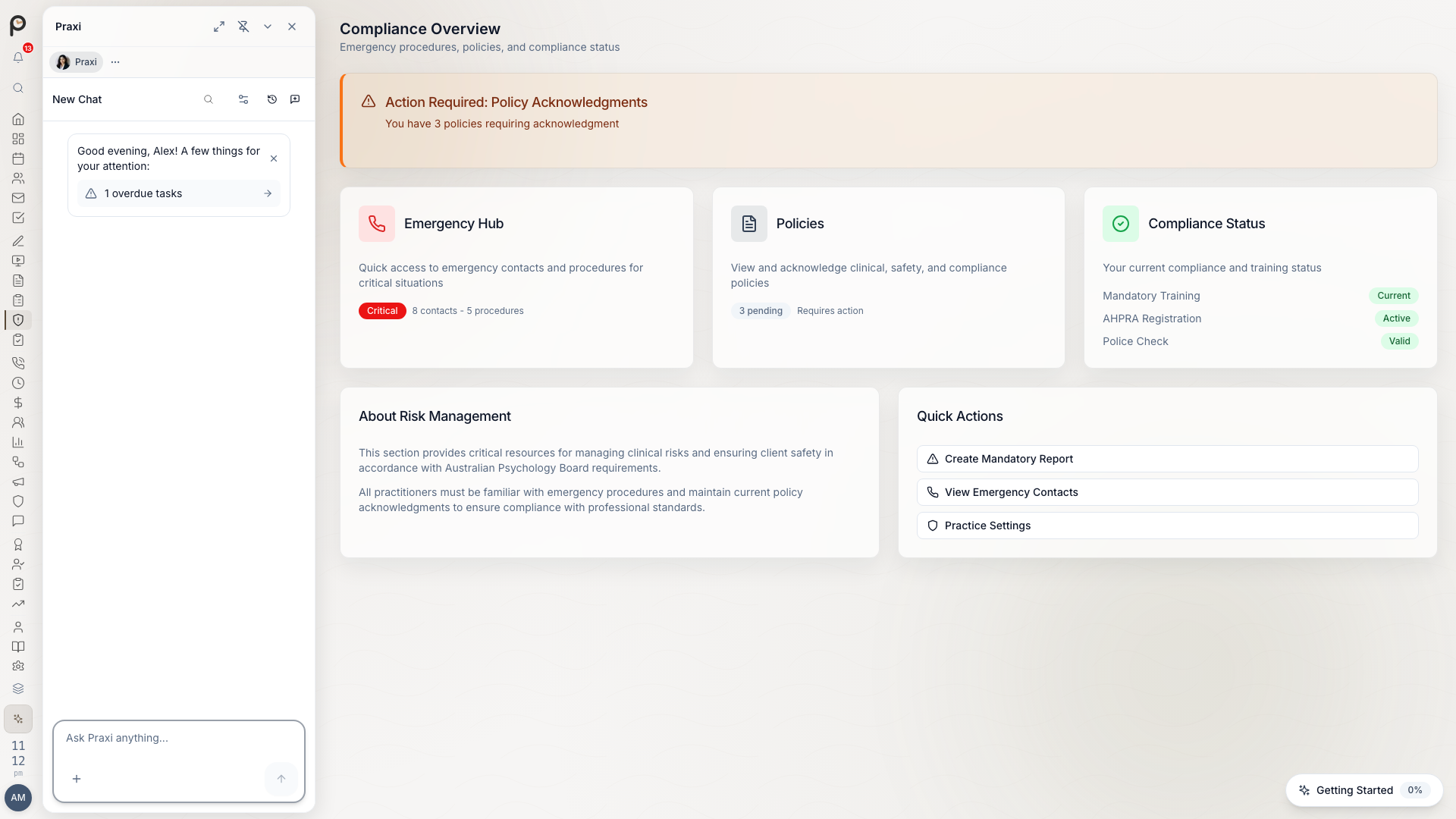
Quick access to crisis resources, emergency contacts, and safety protocols when you need them most. The Emergency Hub lives in the Safety section of the sidebar (under Clinical).
Quick Access
Press Cmd/Ctrl + Shift + E from anywhere in Praxi to open the Emergency Hub, or open Safety from the sidebar and switch to the Emergency section.
What's in the Hub
- A Call 000 card for life-threatening emergencies
- One-tap dial buttons for Lifeline (13 11 14), Beyond Blue, and 13YARN (13 92 76)
- A Create Mandatory Report shortcut into the mandatory reporting workflow
- Emergency contacts for your state — jurisdiction-aware numbers kept current in Praxi, so you're never reading another state's triage line
- Your practice's emergency procedures, shown as cards
- A print option so a hard copy can live at reception
Crisis Helplines
National Crisis Lines
| Service | Phone | Available |
|---|---|---|
| Lifeline | 13 11 14 | 24/7 |
| Suicide Call Back Service | 1300 659 467 | 24/7 |
| Beyond Blue | 1300 22 4636 | 24/7 |
| Kids Helpline | 1800 55 1800 | 24/7 |
| MensLine Australia | 1300 78 99 78 | 24/7 |
| 1800RESPECT | 1800 737 732 | 24/7 |
| 13YARN (Aboriginal & Torres Strait Islander crisis line) | 13 92 76 | 24/7 |
| QLife | 1800 184 527 | 3pm-12am |
Emergency Services
| Service | Number |
|---|---|
| Emergency | 000 |
| Police non-emergency | 131 444 |
| Poisons Information | 13 11 26 |
State-Specific Numbers
State mental health triage lines and child protection numbers vary by jurisdiction and change over time. The Emergency Hub shows the current numbers for your practice's state — use those rather than a printed list.
In-Session Emergency
When a Client is in Crisis
- Stay calm - your composure helps
- Assess safety - is there immediate risk?
- Open the Emergency Hub - Cmd/Ctrl + Shift + E
- Use the hub's contacts and your practice's procedures
Immediate Risk Protocol
If a client is at immediate risk:
- Don't leave them alone - stay connected
- Call for help - 000 if needed
- Document - note what's happening
- Notify - alert your supervisor if available
Safety Plans
Creating a Safety Plan
From the client's record (Clients > [Client] > Compliance):
- Click Create Safety Plan
- Work through the Stanley-Brown format sections with the client:
- Warning signs -- personal warning signs and signs observable by others
- Coping strategies -- internal strategies and external strategies (people and places that provide distraction)
- Social contacts -- people the client can reach out to for support
- Professional contacts -- therapists, doctors, and other professionals
- Emergency contacts -- crisis services and trusted people for emergencies
- Environmental safety -- steps to make the environment safer, including method restriction (restricted access to means)
- Safety plan steps -- ordered steps to follow during a crisis
- Reasons to live -- personal motivations and values
- Follow-up plan -- next steps and ongoing care
- Set a review frequency (daily, weekly, fortnightly, monthly, quarterly, or as needed) -- Praxi calculates the next review date automatically
- Record client agreement and practitioner signature; optionally add a witness name and signature
- Save to client record -- any previously active safety plan for this client is automatically archived
- Optionally share a copy with the client via email or the Client Portal
Reviewing a Safety Plan
Safety plans have scheduled review dates — plans due for review are surfaced in the Safety section:
- Open the safety plan
- Click Record Review
- Enter the review outcome, notes, and whether the client was present
- Record the client's feedback and whether they agreed with the updated plan
- Set the next review date (or let the review frequency calculate it)
Downloading a Safety Plan
Each safety plan can be downloaded as an HTML document for printing or sharing:
- Open the safety plan
- Click Download
- Save or print the HTML document
Archiving a Safety Plan
When a safety plan is no longer needed:
- Open the safety plan
- Click Archive
- The plan is retained for clinical records but marked as archived
Mandatory Reporting
As a registered health practitioner, you have mandatory reporting obligations under Australian law. These obligations vary by state and territory. Failure to report can result in disciplinary action. All mandatory reporting documentation is retained for a minimum of 7 years under the Privacy Act 1988.
The Create Mandatory Report button in the Emergency Hub takes you straight into the structured reporting workflow — report types, risk levels, follow-up tasks, and the full audit trail are covered in Mandatory Reporting. State child protection contacts are shown in the hub for your jurisdiction.
Best Practices
Preparation
- Know your practice's procedures - review the procedure cards regularly
- Print a copy - keep the hub's contact list accessible offline
- Brief clients - explain your availability and after-hours options
- Self-care plan - know your own supports
During a Crisis
- Stay present - don't rush
- Listen actively - validate the experience
- Assess risk - use a structured approach
- Take action - follow your practice's procedures
- Document - record what happened
After a Crisis
- Debrief - talk to your supervisor
- Self-care - process your own experience
- Follow up - check in with the client
- Review - what went well, what to change
- Document - complete your records
Who Can Use the Emergency Hub
The Safety section is available to clinical and front-of-house roles — practice owners, practitioners, behaviour support practitioners, supervisors, interns, receptionists, clinical governance, and EAP coordinators.